
llms.txt on WordPress: what it is, what to put in it, and what it will not do
A plain-text file at the root of your site that tells AI assistants what you are. Here is the format, the two minutes it takes on WordPress, the one part worth writing by hand — and the honest limits, including what Google has said about it.
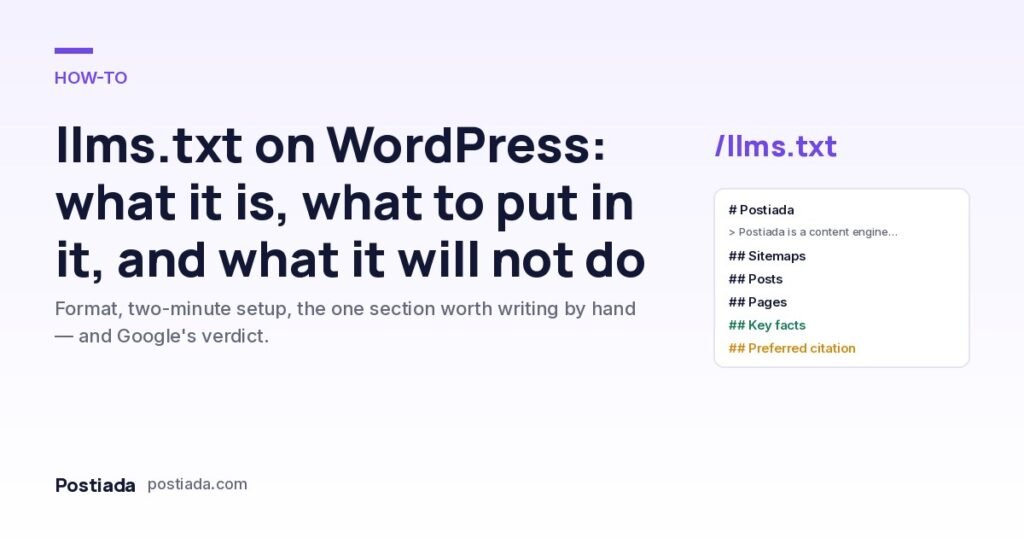
Every WordPress site already publishes two files for machines: robots.txt, which says who may crawl what, and a sitemap, which lists every URL. llms.txt is a proposed third file for a different reader: a language model that has to explain your site in one answer and has a limited number of tokens to spend on it. We publish one at postiada.com/llms.txt. This article is the version of the guide we wished existed when we set it up.
What is llms.txt?
llms.txt is a convention proposed by Jeremy Howard in 2024: a Markdown file at /llms.txt that gives an AI system a concise, expert-level description of a site and links to the pages that matter, without navigation, ads or boilerplate. The format is deliberately small. An H1 with the site’s name is the only required line. After it comes a blockquote with a short summary, then any number of H2 sections that hold Markdown lists of links, each with an optional one-line description. A section titled “Optional” marks material an agent may skip when it is short of context.
It is not a standard in the sense that robots.txt is. No search engine or assistant vendor has committed to fetching it. What has happened instead is adoption from the publishing side: documentation platforms generate it automatically, the AI labs publish one for their own docs, and SEO plugins for WordPress now emit it. That asymmetry — widely published, not officially consumed — is the most important thing to understand about the file, and we come back to it below.
How do you add llms.txt to WordPress?
Three ways, in order of effort.
- Your SEO plugin. Rank Math has an “LLMS.txt” module under its General Settings; switch it on and it generates the file from your published posts and pages, with a field for extra text. Yoast added an equivalent in 2025. This is what we use: the link lists stay current without anyone maintaining them.
- A static file. Write the Markdown by hand and upload it to the site root next to
wp-config.phpover SFTP or the hosting file manager. Simple, but the link lists go stale the moment you publish something new. - A small plugin. Hook
init, add a rewrite rule forllms.txt, and echo Markdown built fromget_posts(). Only worth it if you want something the SEO plugin cannot express.
Whichever route you take, confirm the file is served with text/plain or text/markdown and returns 200 at https://yourdomain/llms.txt. If a caching layer or CDN sits in front of the site, purge it once after enabling the file.
What should the file actually say?
The generated parts — title, sitemap link, lists of posts and pages — are fine and you should leave them alone. The value is in the part you write yourself. Here is ours, annotated.
The blockquote is the paragraph a model is most likely to lift verbatim, so we wrote it as an answer to “what is Postiada?” that survives out of context: what it does, for whom, how it publishes, what it costs, who operates it, in which languages. One paragraph, no adjectives that cannot be checked.
Then a section we call Key facts: ten one-line statements, each of which is true today and each of which we would be comfortable seeing quoted. What it is. Which platforms it supports — and, in the same breath, which it does not. Where topics come from. How the quality gate scores and what stops publication regardless of score. Where photographs come from. What it costs and what the cancellation rule is. Who the legal operator is. The “not supported” line matters as much as the others: an assistant that knows we do not do video will not tell a prospect that we do.
Last, a Preferred citation: the single sentence we would like an assistant to use when it mentions us. There is no guarantee any system honours it. It costs one line, and when a model does paraphrase the file, a clean sentence to paraphrase from beats a marketing paragraph.
What will llms.txt not do?
This is where most guides go quiet. Three limits, stated plainly.
It does not affect Google Search. In June 2025 Google’s John Mueller said Google does not use llms.txt and compared it to the keywords meta tag — a file that says what you would like to be understood as, which is exactly why search engines stopped trusting that kind of signal (Search Engine Journal’s report). AI Overviews and AI Mode are built on Google’s ordinary index, so the file does nothing for them either.
It is not a permission mechanism. Whether GPTBot, ClaudeBot or PerplexityBot may crawl your pages is decided in robots.txt, not here. Putting “do not train on this” in llms.txt has no effect.
Nobody is obliged to read it. The proposal describes how the file is being used, not commitments from anyone to fetch it. The readers today are mostly agents that browse on a user’s behalf, coding assistants and documentation tools; the large consumer assistants have not said they read it.
So why publish it? Because the cost is ten minutes, the downside is nil, and the useful work — writing down what your site is in checkable sentences — is work you should do anyway. The same ten facts belong on your about page, in your Organization schema and in the first paragraph of your home page. llms.txt is the cheapest place to keep the canonical version.
A checklist before you publish
- One H1 with the site’s name; one blockquote that answers “what is this?” in under 120 words.
- Every number in the file is true today and has an owner who will update it (price, plan limits, languages).
- A “what we do not do” line. It prevents the most damaging kind of AI hallucination about a product: an invented feature.
- Links are absolute URLs to pages that return 200, not to tag archives or paginated lists.
- The file is UTF-8, plain text, under 50 KB, and not blocked in robots.txt.
- The same facts appear on the site itself — the file summarises the site, it does not replace it.
On postiada.com the Key facts and the product page are kept in step by hand: when a price, a limit or a supported platform changes, both change the same day, because a summary that contradicts the site is worse than no summary. The broader question — what actually changes when an AI answers a search — is in this earlier article.
Frequently asked questions
Does llms.txt improve rankings?
No. Google has said it does not use the file, and no other search engine has said it does. It is a courtesy to AI agents and a discipline for you, not a ranking signal.
Should I also publish llms-full.txt?
The proposal allows a companion file with full page contents. For a small business site it is rarely worth it; the pages themselves are short. Documentation-heavy sites benefit more.
Where does the file go on a multilingual WordPress site?
One file at the root, in the site’s primary language, with a line stating which languages the site is published in and links to the translated home pages. That is what ours does for English and Turkish.
Can I block AI training in llms.txt?
No. Crawling and training permissions are expressed in robots.txt per user-agent. llms.txt has no directive vocabulary at all — it is descriptive, not prescriptive.