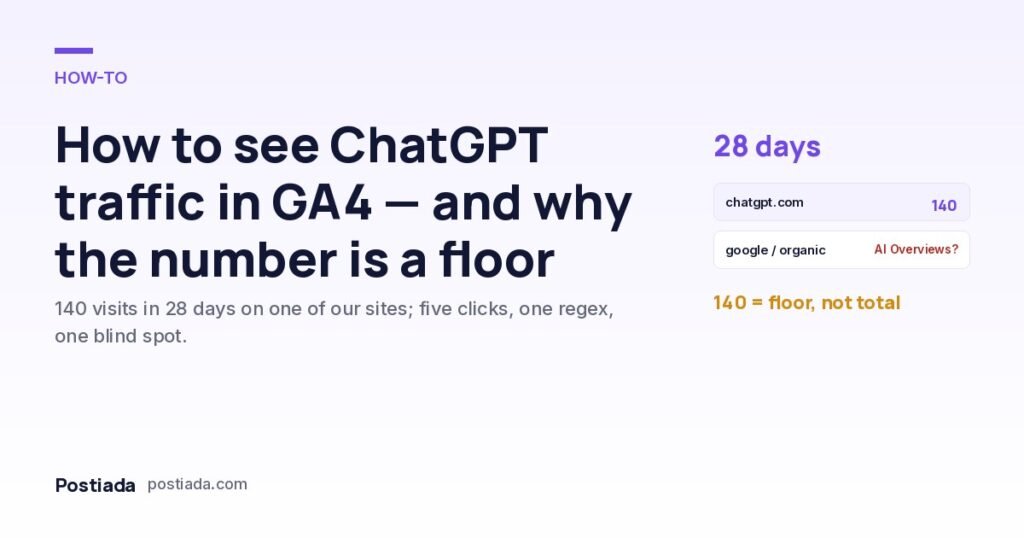
How to see ChatGPT traffic in GA4 — and why the number you find is a floor
One of our sites received 140 visits from ChatGPT in 28 days. Finding that took five clicks and no configuration. Grouping all AI assistants takes one regex. Knowing what GA4 cannot show you takes this article.
“Is anyone actually arriving from ChatGPT?” is the first question a business owner asks once they hear that assistants cite websites. The answer is already in Google Analytics 4 — no plugin, no custom event — because when ChatGPT links to a page, the visit arrives with a referrer of chatgpt.com, and ChatGPT additionally appends utm_source=chatgpt.com to the link. GA4 records both, and since May 2026 it also files recognised assistants into a default channel of their own. What follows is where to look, how to catch the assistants that channel misses, and the part of the picture GA4 cannot see at all.
Where is ChatGPT traffic in GA4?
That is the whole method. Filter on the source and add the rows together: older sessions carry the medium referral, sessions since May 2026 carry ai-assistant, and links with UTM parameters carry whatever the UTM said. For istanbulhamam.com, one of our own sites, the total was 140 sessions in the 28 days to 26 September 2026. The site had published 14 new articles in that window through Postiada, each written to be specific and sourced; we cannot prove which visit came from which citation, and the number is small — but it is a real number from a real property, which is more than most claims about “AI traffic” can say.
If the row is missing entirely, check three things before concluding you have no AI traffic: the date range (the report defaults to 28 days), whether a referral exclusion list in Admin → Data streams → Configure tag settings accidentally includes the domain, and whether a consent banner is blocking the analytics tag for visitors who arrive from an in-app browser.
How do you group all AI assistants in one view?
Since May 2026 GA4 does part of this for you. When it recognises the referrer of an AI assistant it sets the medium to ai-assistant and files the session under a new default channel, AI Assistant, visible in any report that uses Session default channel group (Search Engine Journal on the launch). Two limits: Google has named ChatGPT, Gemini and Claude as examples but not published the full list, and the channel starts from its launch date — earlier sessions stay in Referral.
So a custom channel is still worth having, for the history and for the assistants the default list misses. Admin → Data display → Channel groups → Create new channel group → add a channel named “AI assistants” whose condition is Session source matches regex with the pattern below, and move it above “Referral” in the ordering so it takes precedence.
Unlike the default AI Assistant channel, a custom channel group is applied to historical data as well, so the moment it exists you can read the whole history of assistant referrals in one line. If you would rather not touch channel definitions, an Exploration does the same job: free-form table, dimension Session source, metric Sessions, filter Session source matches regex with the same pattern.
What can GA4 not tell you about AI traffic?
This is the part most dashboards skip. When Google shows an AI Overview or an AI Mode answer and a user clicks a cited link, the visit arrives as google / organic, indistinguishable from a click on a blue link. Google Search Console does the same: it counts AI Overview clicks inside the ordinary “Web” search type and offers no filter for them. Bing’s Copilot answers behave the same way for bing / organic. So the 140 we can attribute to ChatGPT is a floor. Whatever Google’s own AI surfaces sent — very likely more, given Google’s share of search — is folded into organic and cannot be separated with today’s tooling.
Two practical consequences. First, if organic traffic to a page rises while its Search Console clicks for that page stay flat, an AI surface is a plausible explanation, but it is inference, not measurement. Second, do not let anyone sell you an “AI traffic” figure as if it were complete; ask which sources it counts and it will be the seven hosts above, or fewer.
What should you do with the number?
Treat it as a quality signal rather than a volume target. Three uses that have earned their place for us:
- Which pages do assistants send people to? Add Landing page as a secondary dimension to the filtered report. The pattern tells you what kind of page assistants find worth citing — usually the specific, factual ones rather than the home page — and therefore what to write more of.
- Do those visitors do anything? Compare engagement rate and key events for the AI channel against organic. Assistant visitors arrive with a question already answered, so they either convert or leave quickly; both are informative.
- Is the trend up? Month over month, per site. With the channel group in place this is one line on the acquisition report.
Getting cited in the first place is a writing problem, not an analytics one: pages that state a specific fact with a source get quoted; vague pages get paraphrased without a link. The structural rules are in what changes when an AI answers the search, and the crawler permissions that let assistants reach your pages at all are in robots.txt for AI crawlers.
Frequently asked questions
Why does ChatGPT sometimes show as “direct”?
When a user copies a link out of ChatGPT and pastes it into a browser, no referrer is sent and no UTM is attached, so the visit lands in direct. The 140 excludes those; the true count is somewhat higher.
Does Google Search Console show AI Overview clicks separately?
No. They are included in the Web search type without a filter. Search Console does show AI Mode impressions and clicks in the same bucket.
Is 140 visits in 28 days good?
For a tourism site with 14 new articles that month it is meaningful; as a share of total sessions it is still small. We publish the figure because it is measured, not because it is large.
Do I need a plugin for this?
No. Everything above is standard GA4: the acquisition report, the default AI Assistant channel, a custom channel group and an Exploration. Postiada does not install analytics on customer sites and does not need to.